
Module · Kitchen display · Included
Paper tickets, gone.
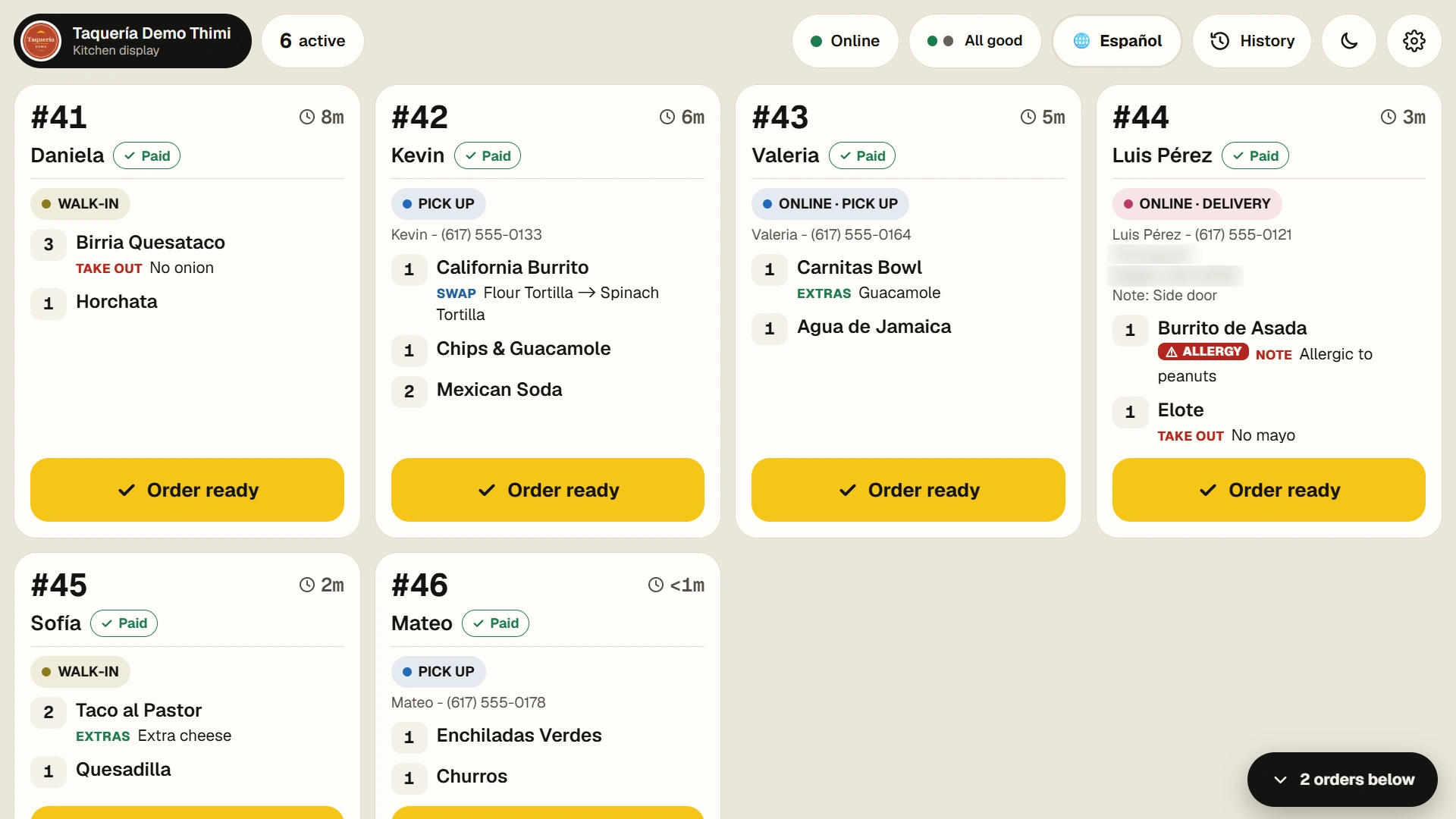
Every order from the register, the kiosk or the phone lands on the kitchen screen the moment it's placed — with its type, the changes the customer asked for, and whether it's paid.
Ink design
Built to be read from across the kitchen.
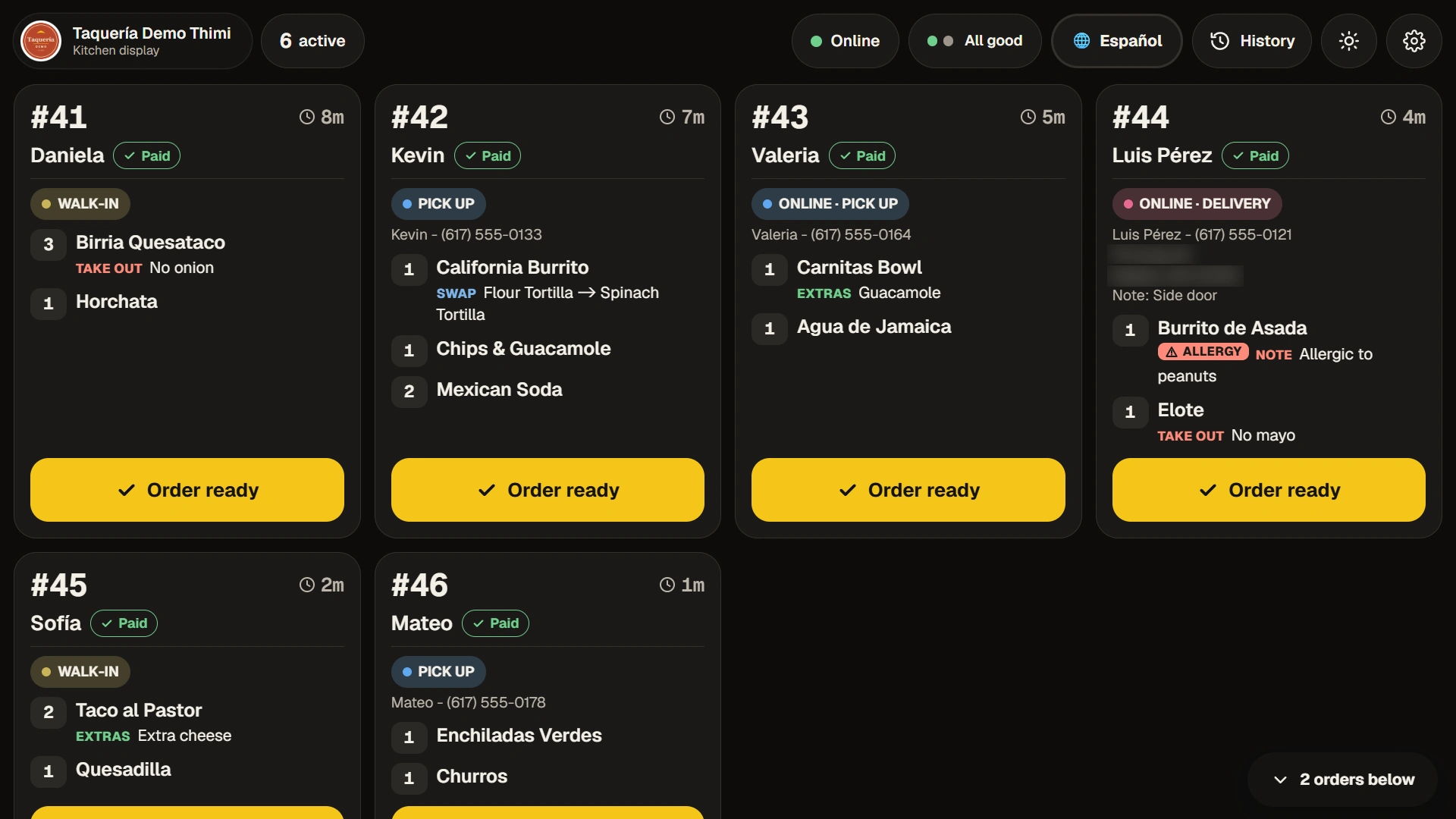
Big order numbers and timers, every change on its own line, allergies in red and late orders flagged. Day or night mode, and a status bar that tells your team what to do if the internet or printer drops.
From the counter to the line
01
The order arrives
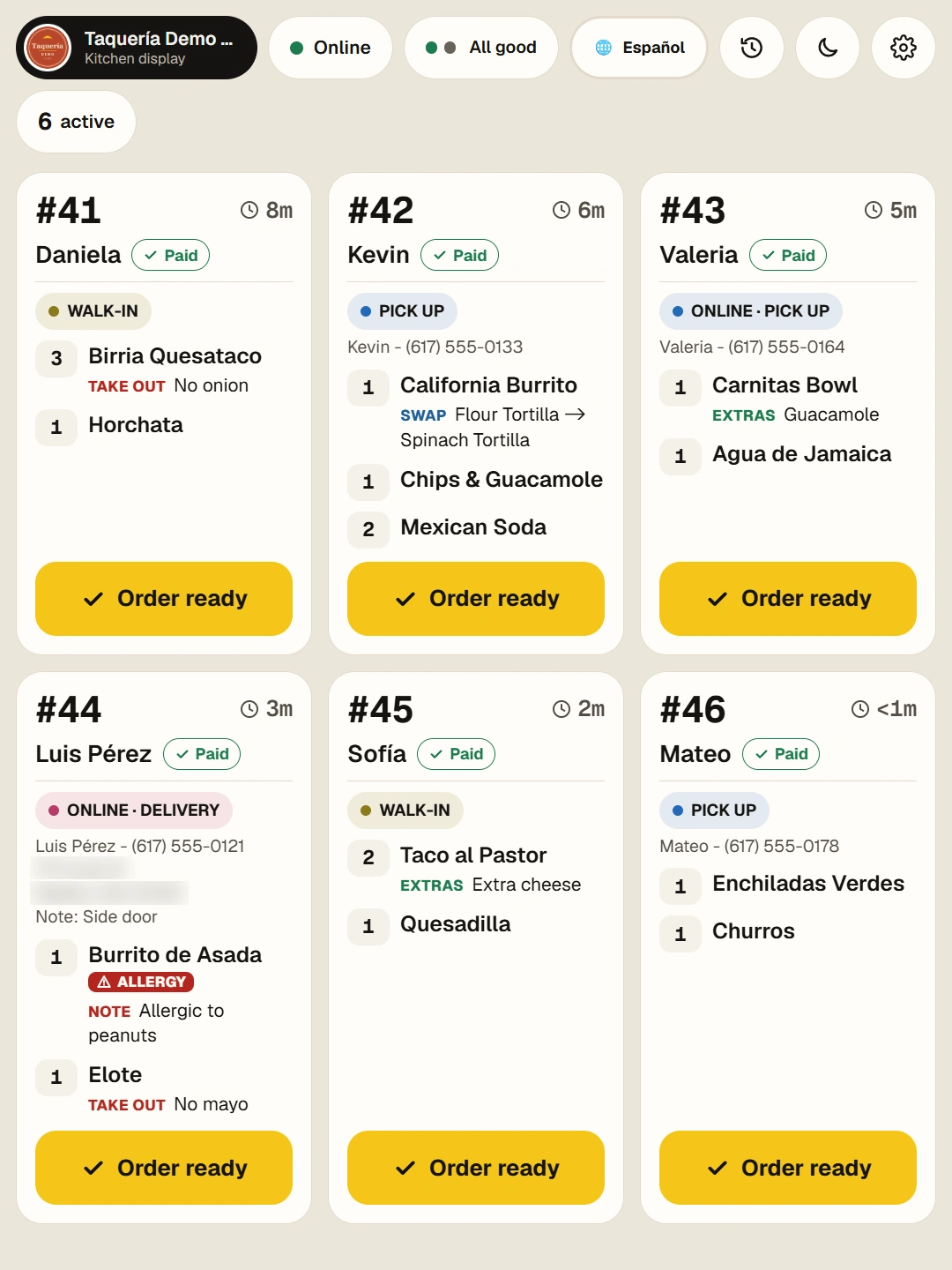
Walk-in, pick-up, delivery or dine-in, marked on the ticket, from whichever station took it.
02
The cook reads it
Swaps and extras are written out on each item, so nothing gets lost between the counter and the grill.
03
One tap, done
One tap prints it and marks it ready.
Screens from a demo business, “Taquería Demo Thimi”. Menu photos are AI-generated.
Included
In both plans.
The kitchen display comes with the Kiosk Combo and the POS Combo. It runs on an Android tablet, an iPad or in a browser — use a screen you already have, or rent one with an optional Equipment Plan.
- 01One screen for every station
Register, kiosk and phone orders in a single queue. - 02English or Spanish
Your kitchen picks its language with one tap. - 03Paid or not, at a glance
Phone orders sent before payment are marked as such.
Works with
What do you need?
Tell us in a few words. We reply within 24 hours, in English or Spanish.
Got it. We'll be in touch.
We'll reply within 24 hours to